
Adobe Photoshop Adds ‘Harmonize’, ‘Generative Upscale’ To Smartly Blend, Sharpen

Images via Adobe
You know the pain of dropping an object into a scene and spending the next hour massaging shadows, colors, and tone to make it fit. Well, Adobe is fixing that familiar pain point, along with salvaging blurry screenshots and low-res throwbacks.
This month, the creative tech giant rolled out a suite of new Photoshop features across desktop, web, and mobile.
Harmonize

Image via Adobe
Harmonize (in beta), first previewed under the name Project Perfect Blend at Adobe MAX 2024, automatically adjusts an object’s color, lighting, and tone to better match the scene it’s being placed in. The tool uses Adobe’s Firefly artificial intelligence model to analyze context and blend elements more realistically, which is especially useful for those building composites, campaign visuals, or surreal edits that need to hold together visually.
Video via Adobe
Generative Upscale
Generative Upscale, a feature also in beta, increases an image’s resolution up to eight megapixels without losing sharpness. This is especially useful for improving old assets or prepping web files for print. The tool leverages AI to fill in gaps rather than simply stretch pixels. Adobe is positioning it as a time-saver for photographers, social media teams, and anyone working with assets that don’t quite meet size requirements.
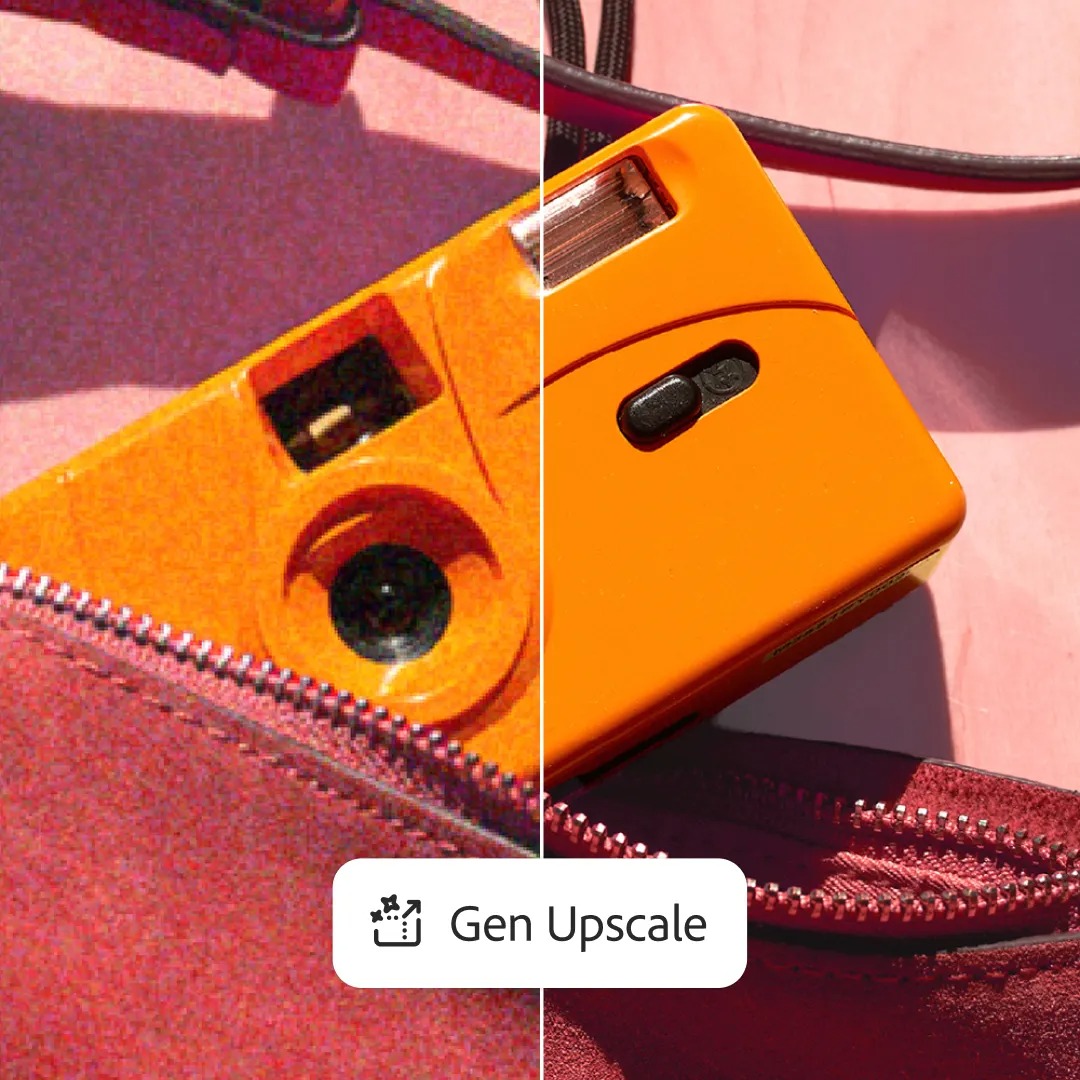
Image via Adobe
Improved Removed Tool
Other updates center on cleanup and collaboration. The Remove Tool has been enhanced to provide more accurate and realistic edits when eliminating distractions like power lines or background clutter. Tapping into the Firefly image model, the new version aims to generate better-looking fill areas, helping edits blend into their surroundings with fewer visible seams.

Image via Adobe
Projects
On the organization side, Adobe has introduced Projects (beta) to help users group assets and keep creative work centralized. It functions as a workspace within Photoshop that allows for easier sharing and fewer versioning errors, particularly for multi-file projects or collaborations involving several contributors.
Gen AI Model Picker
Finally, Adobe is adding more flexibility to its generative tools. The new Gen AI Model Picker lets users select between different Firefly models when using Generative Fill and Generative Expand. Each model interprets prompts differently, giving creators the option to choose outputs that better align with their style or intent.
Availability
Adobe says the additions are part of an ongoing effort to simplify editing without reducing control. These updates are now available across Photoshop on desktop and web, with select features rolling out to iOS in early access.
[via Adobe]


